# Publishing to Git
Review file changes and publish a commit or pull request.
## Saving is not publishing
Drafts stay in your Content Space until you explicitly publish. A saved draft does not modify your repository. Published content is written as normal repository files.
The same applies to navigation placement: saving it keeps the change in Prosefly until you publish the reviewed files.
## Review the diff
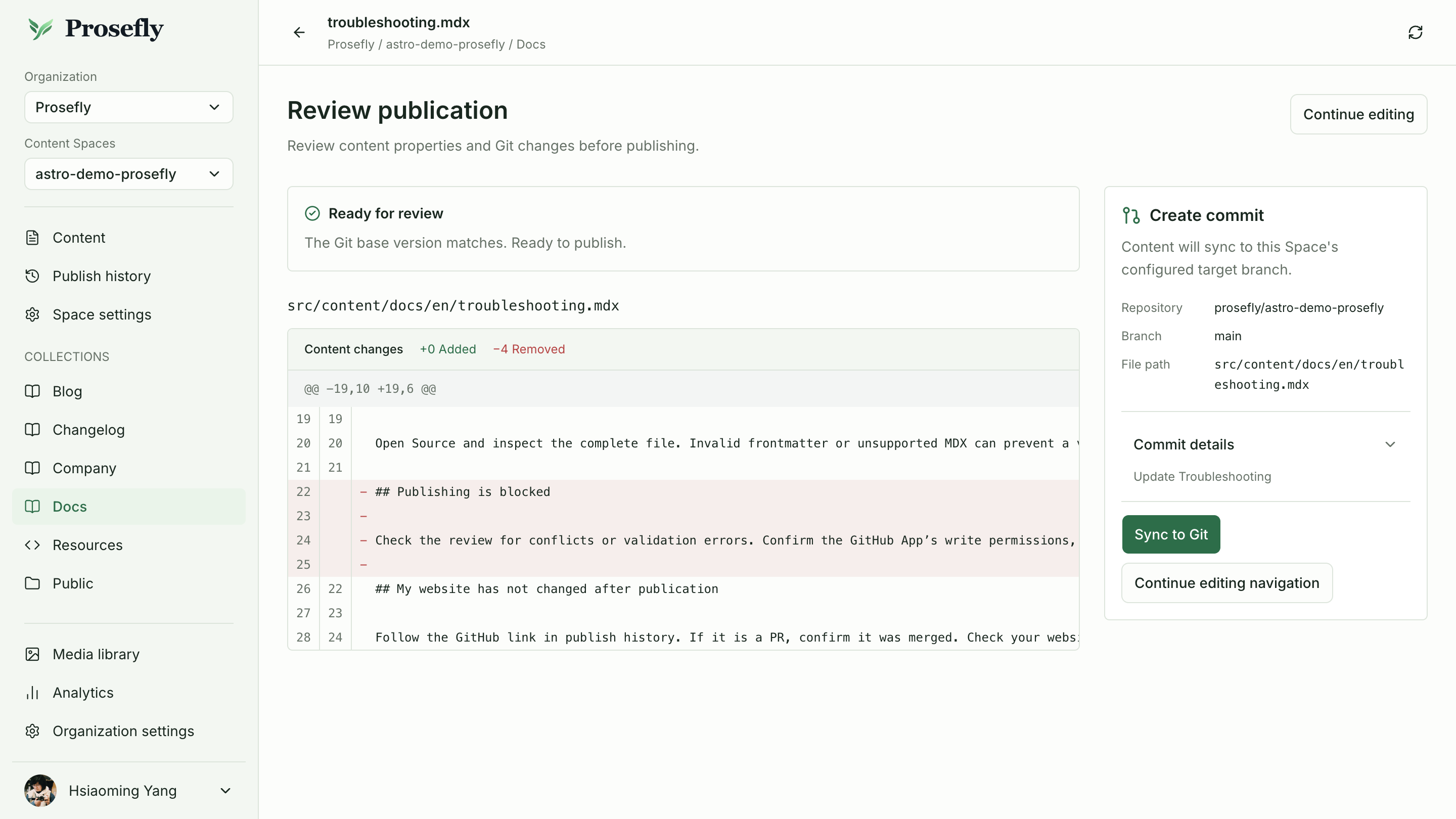
Open publication review from the editor. Check every affected file, including navigation configuration when present. Confirm the repository, target branch, file paths, and publication mode.
The review suggests a title and Markdown description. You can edit them before submission. New changes made while publication is running are not silently included in that reviewed snapshot.
Commit mode: review the file diff, confirm the repository and target branch, then
choose Sync to Git.
## Review content and navigation together
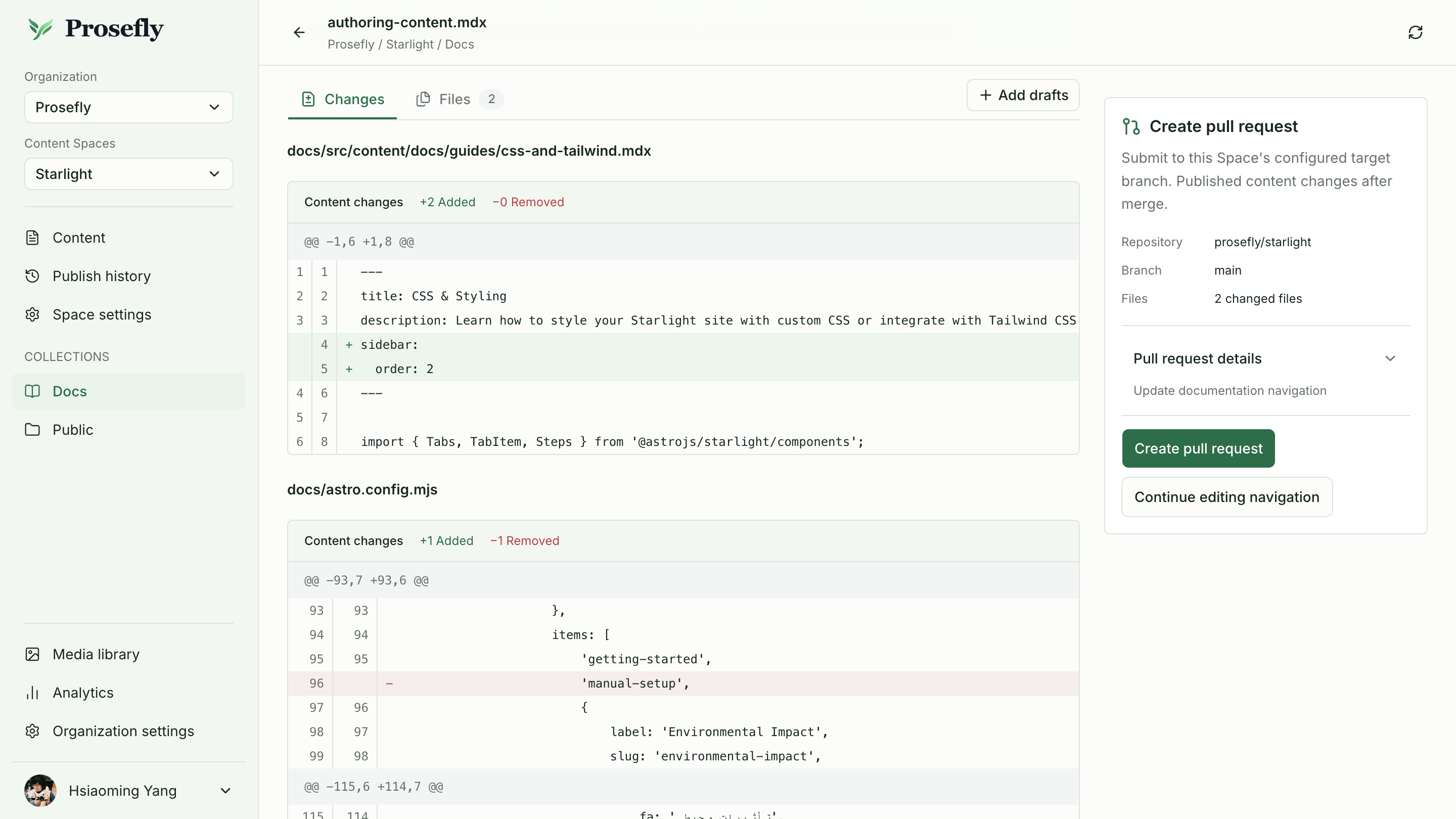
When a document has supported navigation changes, publication review includes the affected files: document frontmatter used for ordering and native navigation configuration where applicable. Check every diff under **Changes**, and use **Files** to inspect the affected file list.
Confirm that the navigation diff places the page where you intended. If it needs another adjustment, choose **Continue editing navigation**, update the placement, and open review again before publishing.
### Starlight
This Starlight review includes two files. `css-and-tailwind.mdx` gains `sidebar.order: 2`, which changes the order of an automatically generated page. `astro.config.mjs` contains a manual sidebar change. Review both diffs before creating the pull request.
Review automatic page ordering and manual sidebar configuration changes in the same
publication.
### Lotus and Dahlia
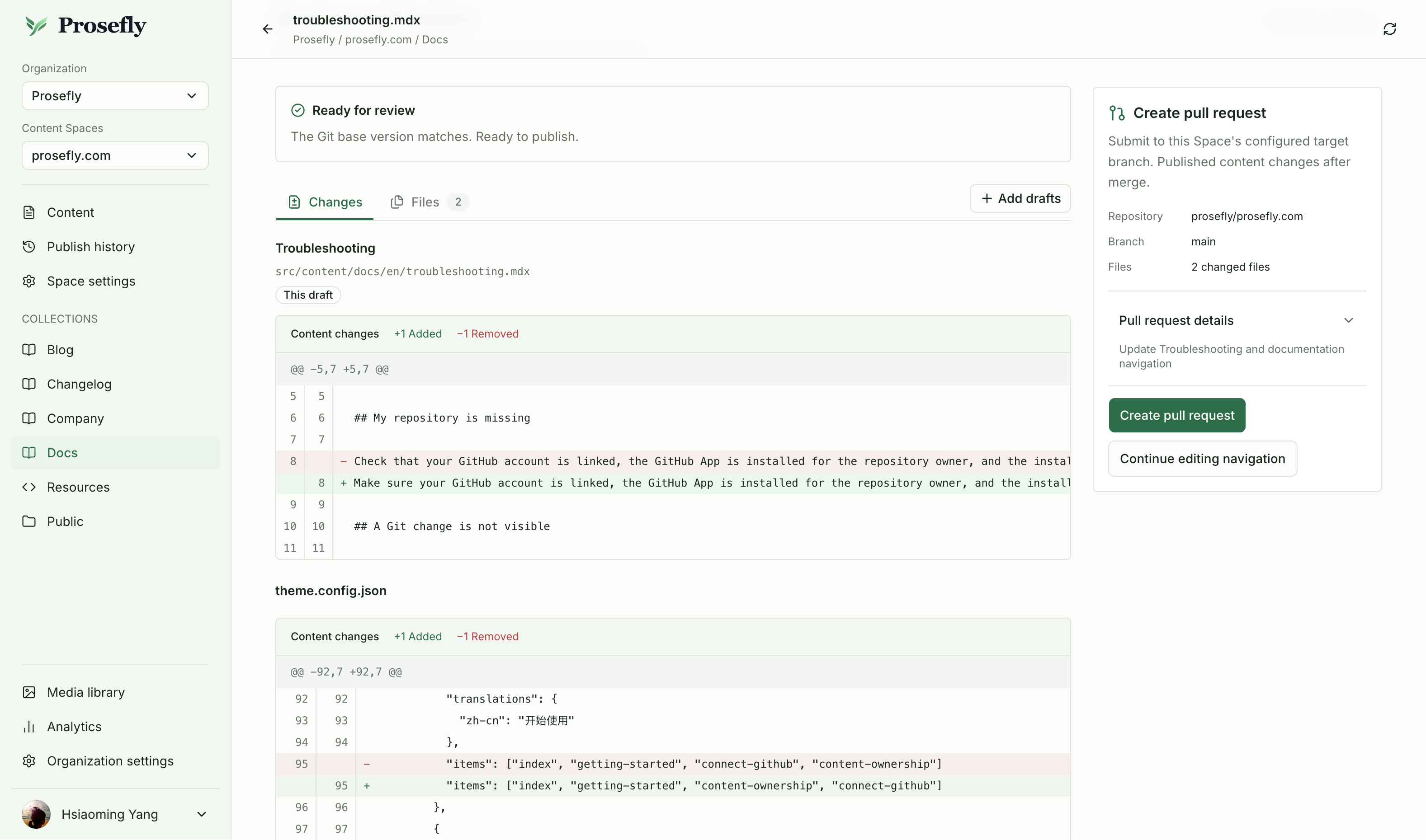
This Prosefly docsNav example reviews troubleshooting.mdx and theme.config.json
together. The navigation diff moves connect-github after content-ownership in the
existing group, and the pull request includes both changed files.
View full-size screenshot
### Fumadocs
For Fumadocs, review the affected `meta.json` page lists alongside the MDX documents.
## Choose the publication workflow
- **Commit:** write the reviewed changes to the configured target branch.
- **Pull request:** create a branch and GitHub PR containing the reviewed changes. The target branch is updated when that PR is merged.
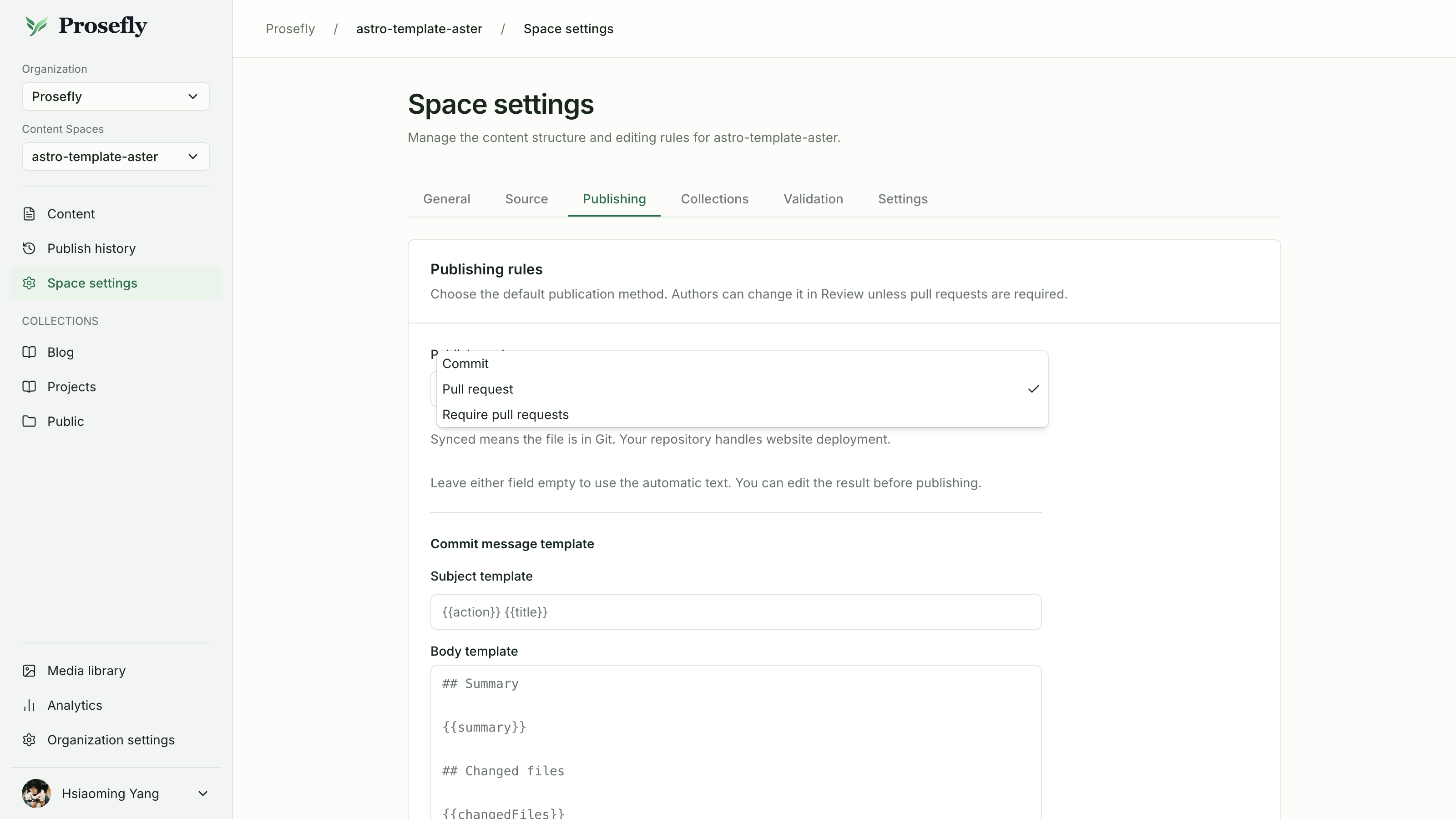
Open **Space settings → Publishing** to choose the publication mode. It applies to all entries in that Content Space. GitHub App write permissions and repository branch protections must allow the selected workflow.
Choose Commit or Pull request in Space settings → Publishing. You can also set message
templates here; leave them empty to use the automatic text.
From reviewing the diff to a merged pull request.
## Follow the result
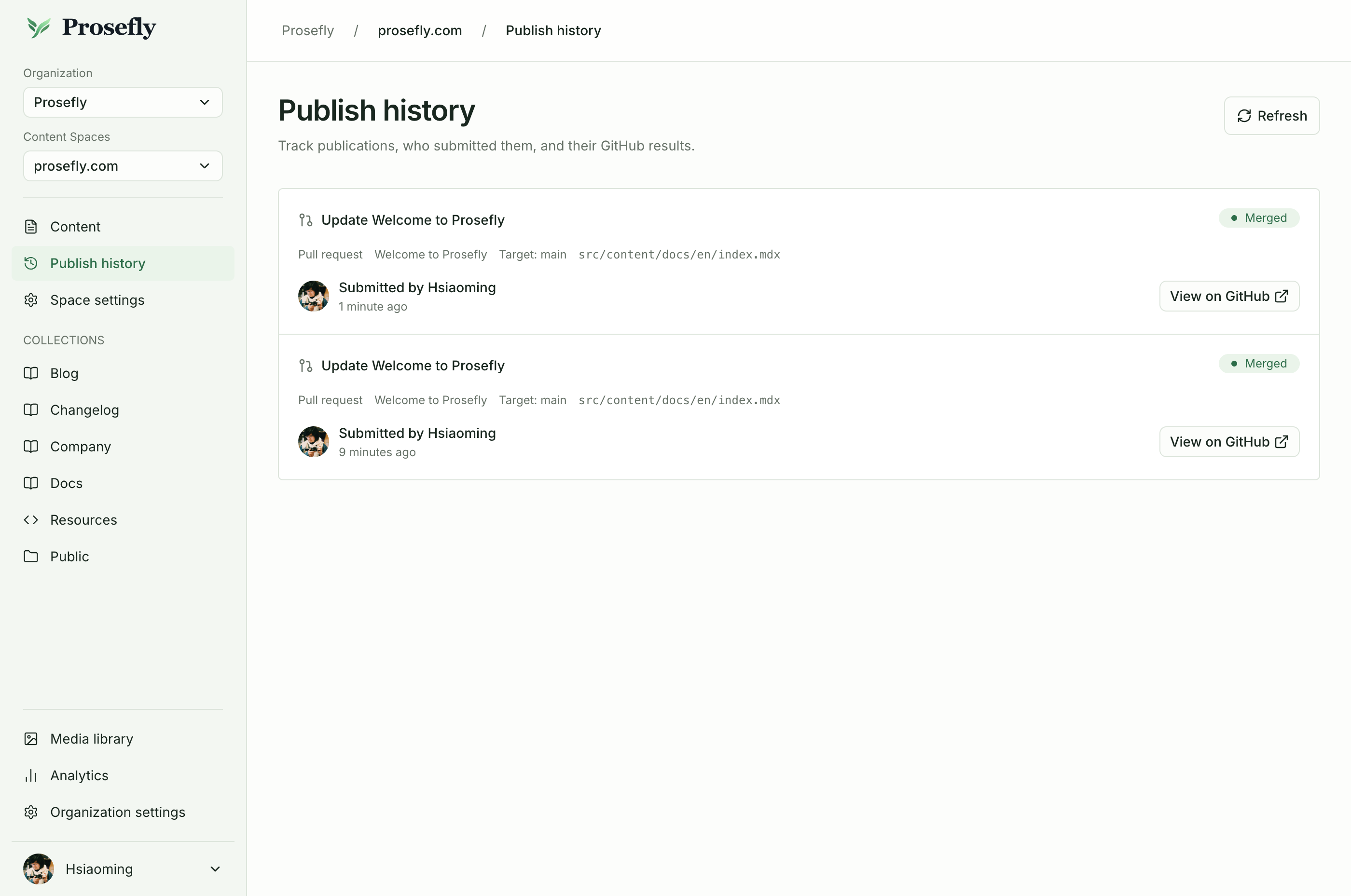
Publish history links to the GitHub result and shows the submitter, target, and status. A PR initially awaits merge. Refresh history to check unresolved PRs; this is not continuous background polling.
Git publication does not deploy a website. Your site’s existing build and hosting workflow handles deployment after changes reach the expected branch.
Publish history links each publication to its GitHub result and shows the latest
status.
## Handle an external change
If the Git base changed while you had a draft, compare the original base, current Git content, and your draft. Resolve the conflict before publishing again. Prosefly does not force away concurrent repository changes or automatically merge conflicting documents.
Scan after external repository changes to refresh the content index. Publishing and scanning are distinct operations.
## Include Public files and translations
When a document references a new, unpublished [Public image](/docs/public-files/), review includes that image as a required file. Check the image and document together. You can also add other Public drafts from the same Content Space to the batch.
Only supported static image references are detected. Dynamic MDX expressions are not evaluated, and JSON/YAML Resource strings do not automatically include image drafts. Publish those images separately before content that uses them.
Related [language drafts](/docs/languages-and-translation/) can be reviewed together. Translation does not publish automatically: inspect the files and confirm which versions belong in this publication.