
See how your content is read.
Follow visits, completed reads, and likes for your published pages. Explore audio and video delivery in a separate report, all from your organization in Prosefly.
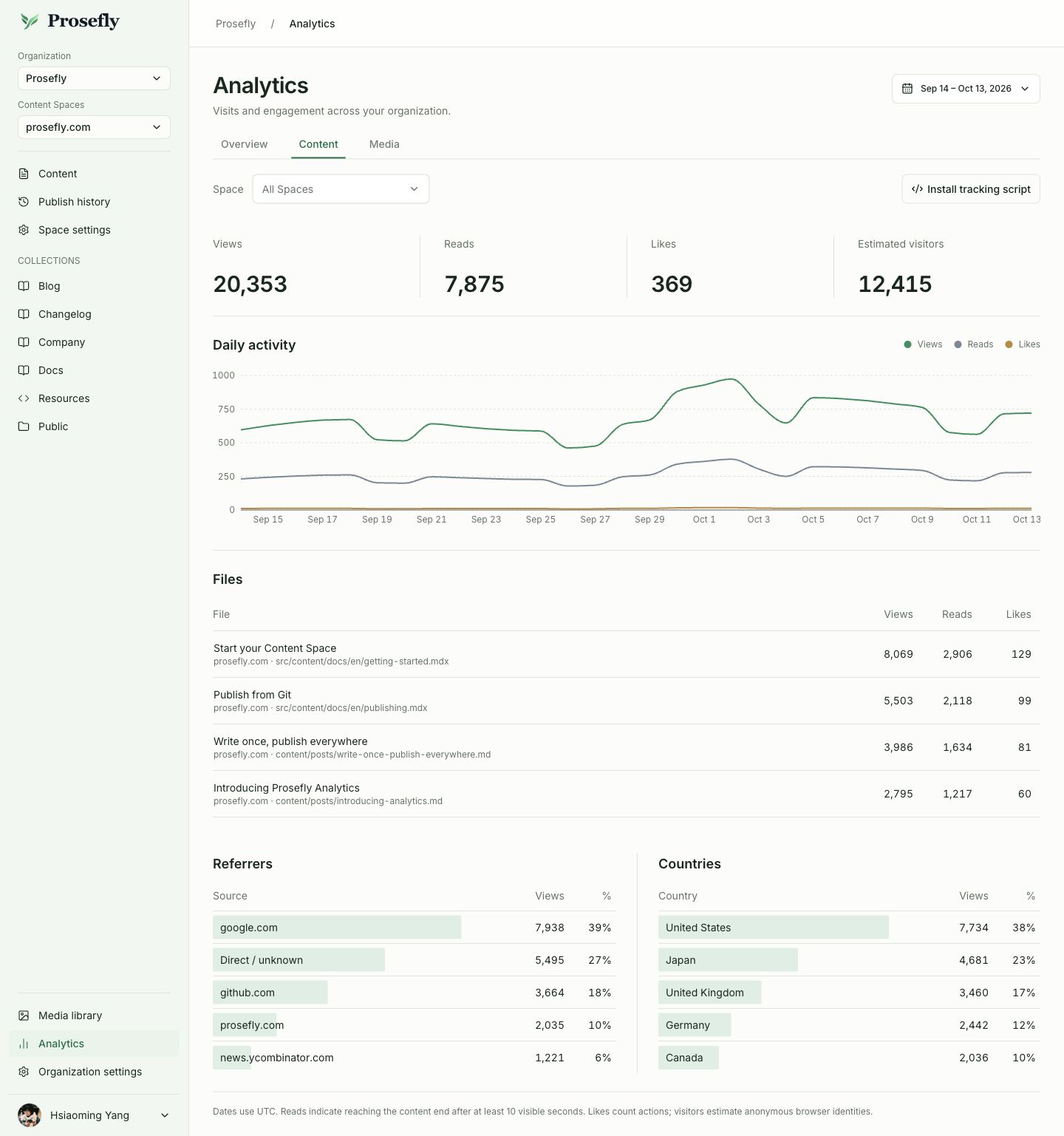
Look beyond the page view.
Content reports show three independent signals. Use them to understand how people reach your articles and what they do after arriving.
- Views
- Visits recorded by the tracker on your website.
- Completed reads
- Visits that reach the article’s end after enough visible reading time.
- Likes
- Explicit like actions sent by your website integration.
From all your content to one article.
Start with the whole organization, choose a Content Space, or select a file. Reports show the recorded page title alongside its Content Space and repository path.
- Organization
- Content Space
- Content file
- Follow the daily trend
- Choose a reporting period and see how views, reads, and likes change over time.
- Find your traffic sources
- Review referring websites and country breakdowns for the selected content.
- Recognize the article
- Use page titles to find the content, then check its original repository path.
- Keep visitor estimates in context
- Anonymous browser identifiers help estimate visitors. They do not identify individual people.
Follow audio and video delivery.
Media has its own report. Explore hosted audio and video files, their delivery trends, and the available audience breakdowns.
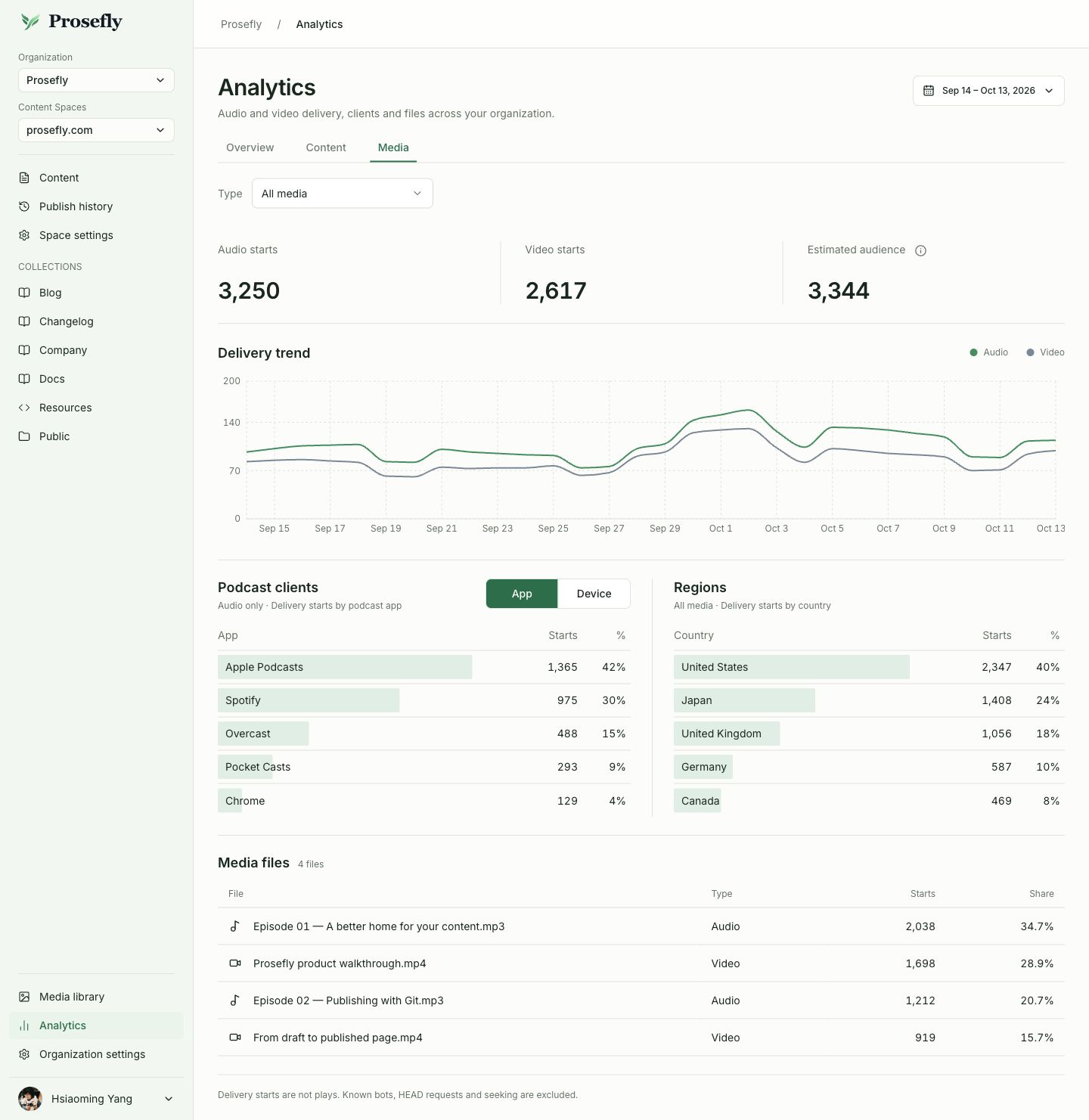
- Delivery starts and files
- Filter by media type and inspect individual files over the selected reporting period.
- Apps, devices, and countries
- Explore available listening-app, device, and regional breakdowns, including podcast-client information for audio.
A delivery start records request activity. It cannot tell you how much someone watched or listened to. Estimated audience is not a count of individual listeners.
Understand media reportsConnect the site where your content is read.
Keep your existing website and publishing pipeline. Add the tracker to its shared layout, then associate content pages with their source files.
Copy your tracking script
Open Analytics → Content → Install tracking script. Select the Content Space and copy the generated snippet.
Add it to your website
Load the script once per page. For content pages, provide the repository-relative filepath from your site’s content build.
Review published activity
Open the Content report and filter by period, Content Space, or file. Reports may be delayed while recent data is processed.
Included in every plan.
One monthly website-event allowance, shared across all Content Spaces in your organization. All billing intervals have the same allowance.
| Plan | Website events / month |
|---|---|
| Personal | 100K |
| Team | 1M |
| Business | 5M |
Audio and video delivery uses the separate transfer allowance. Website events and media requests are measured separately.
Compare all plan limitsA few details worth knowing.
What counts as a completed read?
The tracker records a read when the page has accumulated at least ten seconds of visible time and the visitor reaches the article’s visible bottom. This indicates reaching the end; it does not prove the article was fully understood.
What counts toward the website-event allowance?
Each page view, completed read, and like counts as one event. Event properties such as title, filepath, and device do not add events. Tracker downloads and report queries are excluded. Audio/video requests use the media transfer allowance.
Does the tracker add a Like button?
Your website provides the Like action and sends it through the tracker integration. Prosefly does not automatically insert a button or infer likes from scrolling.
What happens if I exceed the monthly allowance?
Collection and report access continue. After an organization exceeds its allowance for two consecutive months, our policy is to remind it to upgrade. There is no automatic upgrade, automatic overage fee, or suspension because of overage.
Publish the content. Learn from the response.
Write and review in Prosefly, publish to your repository, and follow activity on the website you already run.