
Content Spaces
Publishing to Git
Review file changes and publish a commit or pull request.
Saving is not publishing
Drafts stay in your Content Space until you explicitly publish. A saved draft does not modify your repository. Published content is written as normal repository files.
The same applies to navigation placement: saving it keeps the change in Prosefly until you publish the reviewed files.
Review the diff
Open publication review from the editor. Check every affected file, including navigation configuration when present. Confirm the repository, target branch, file paths, and publication mode.
The review suggests a title and Markdown description. You can edit them before submission. New changes made while publication is running are not silently included in that reviewed snapshot.
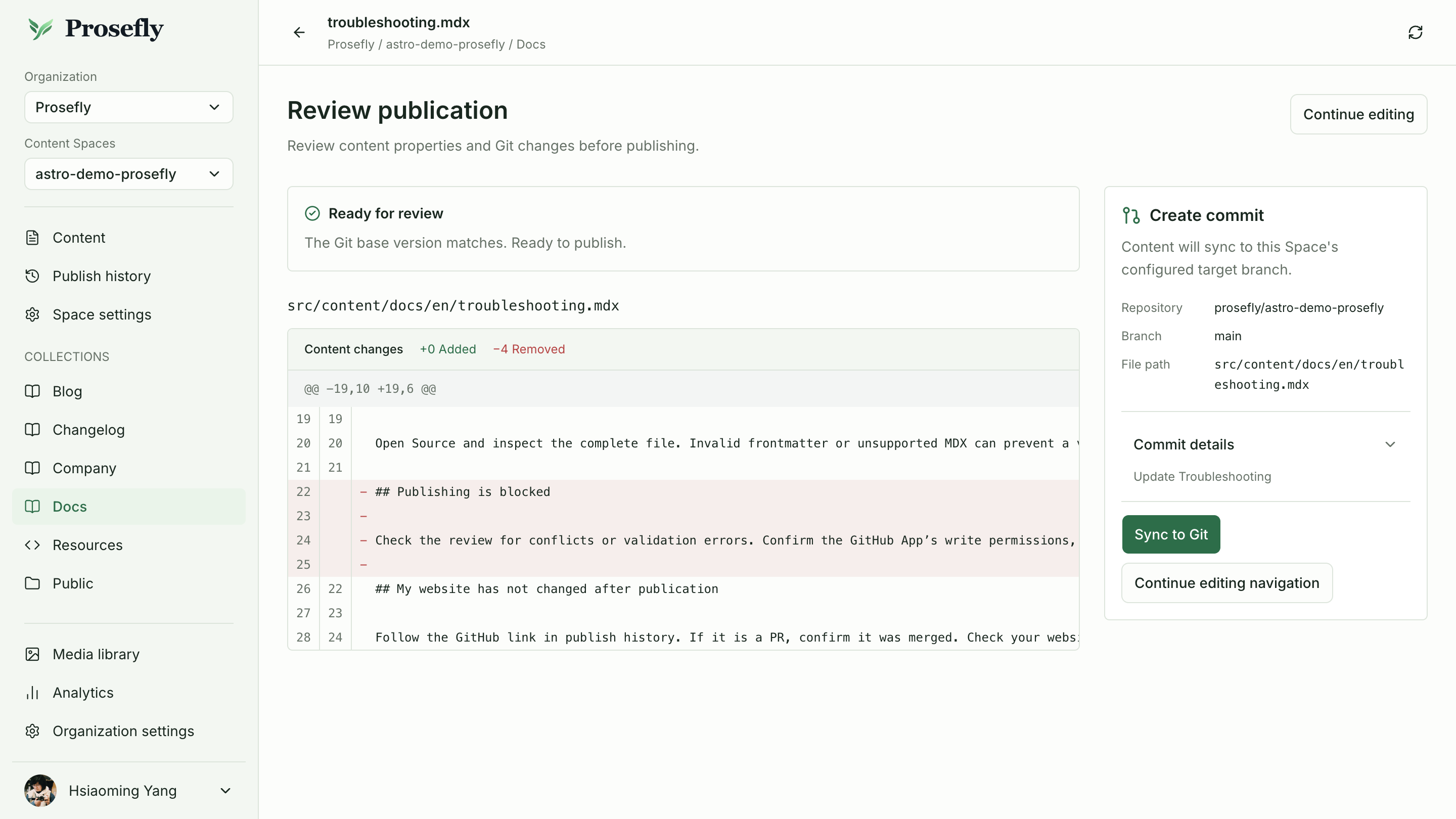
Commit mode: review the file diff, confirm the repository and target branch, then choose Sync to Git.
Review content and navigation together
When a document has supported navigation changes, publication review includes the affected files: document frontmatter used for ordering and native navigation configuration where applicable. Check every diff under Changes, and use Files to inspect the affected file list.
Confirm that the navigation diff places the page where you intended. If it needs another adjustment, choose Continue editing navigation, update the placement, and open review again before publishing.
Starlight
This Starlight review includes two files. css-and-tailwind.mdx gains sidebar.order: 2, which changes the order of an automatically generated page. astro.config.mjs contains a manual sidebar change. Review both diffs before creating the pull request.
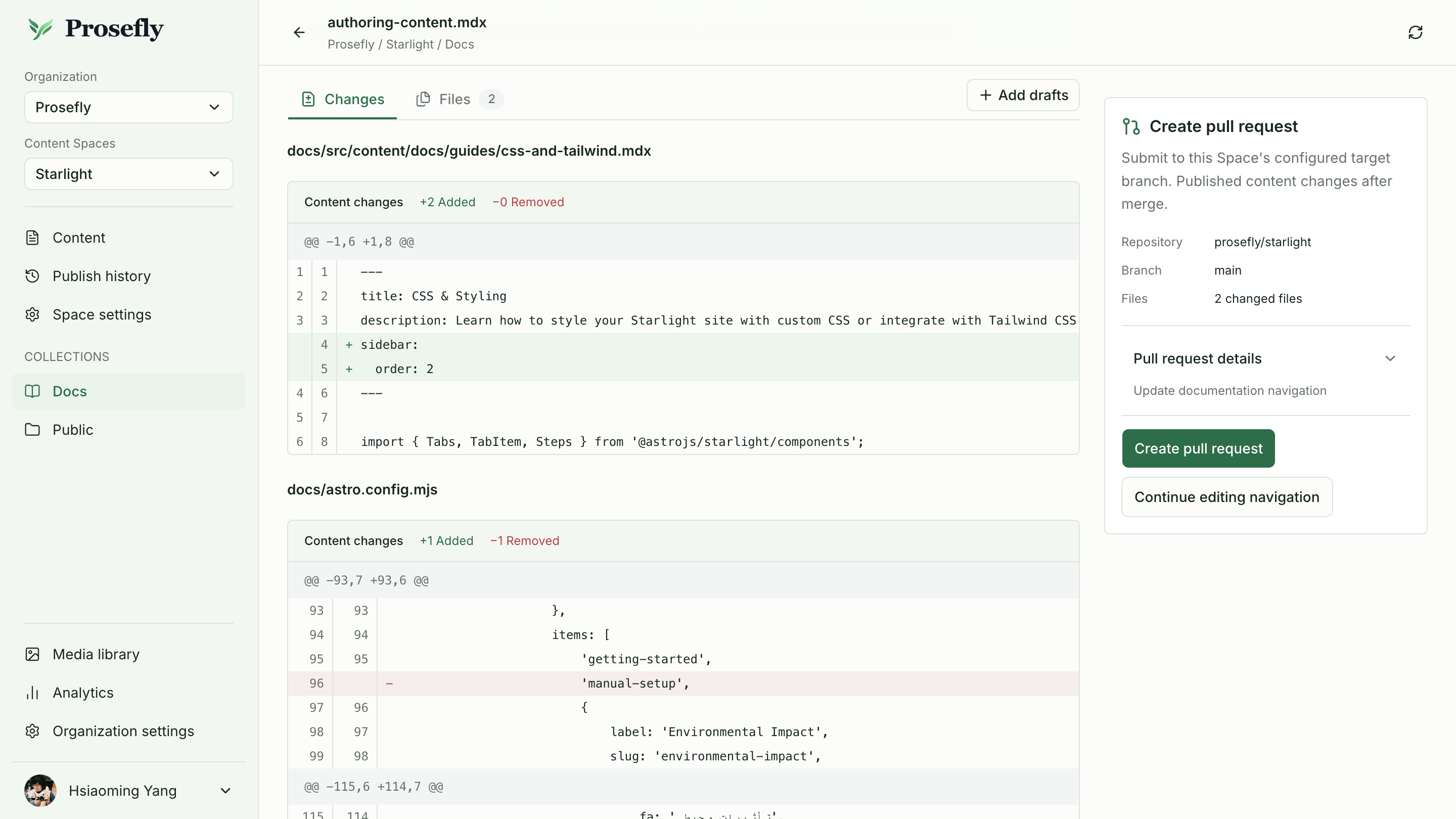
Review automatic page ordering and manual sidebar configuration changes in the same publication.
Lotus and Dahlia
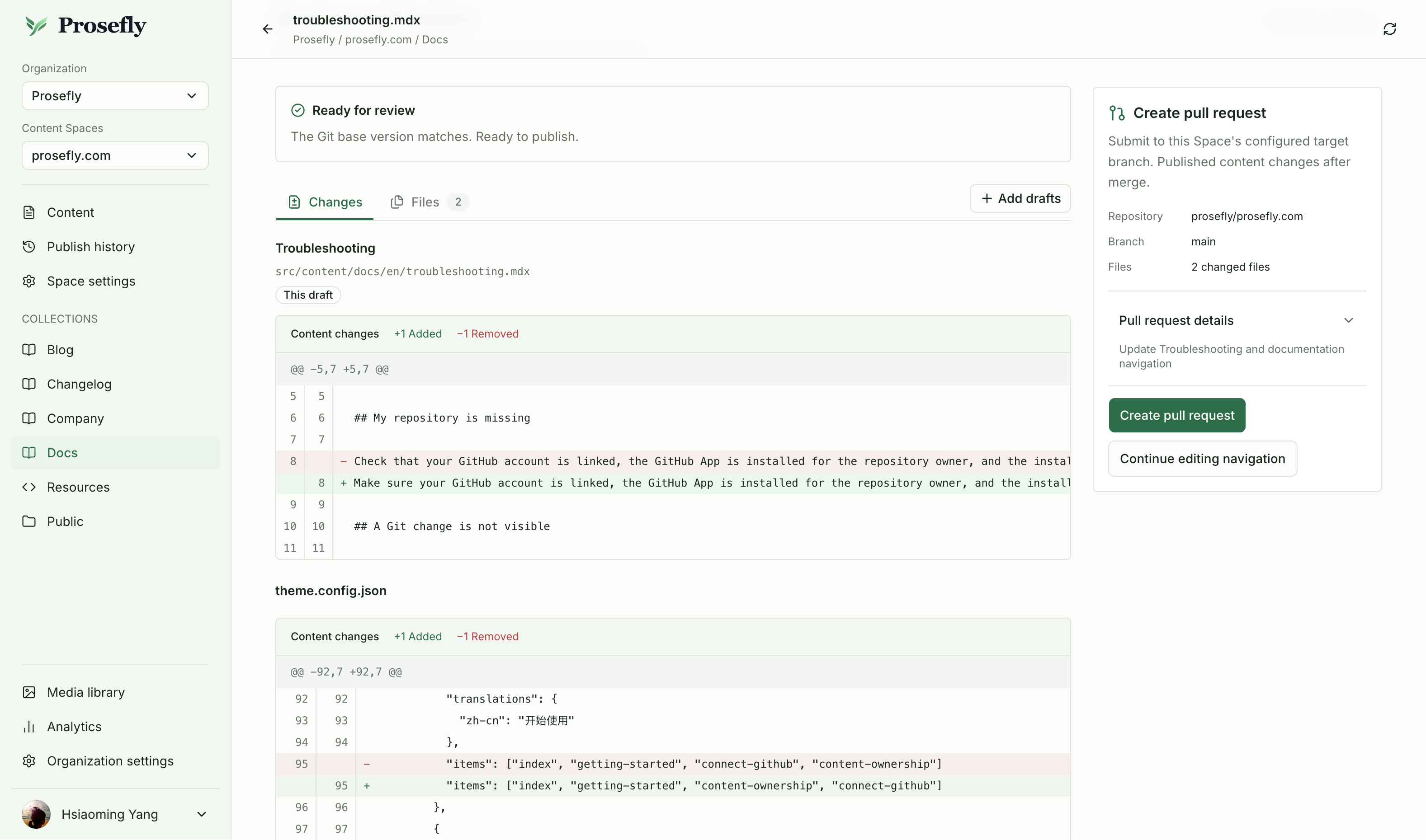
This Prosefly docsNav example reviews troubleshooting.mdx and theme.config.json together. The navigation diff moves connect-github after content-ownership in the existing group, and the pull request includes both changed files.
View full-size screenshot
Fumadocs
For Fumadocs, review the affected meta.json page lists alongside the MDX documents.
Choose the publication workflow
- Commit: write the reviewed changes to the configured target branch.
- Pull request: create a branch and GitHub PR containing the reviewed changes. The target branch is updated when that PR is merged.
Open Space settings → Publishing to choose the publication mode. It applies to all entries in that Content Space. GitHub App write permissions and repository branch protections must allow the selected workflow.
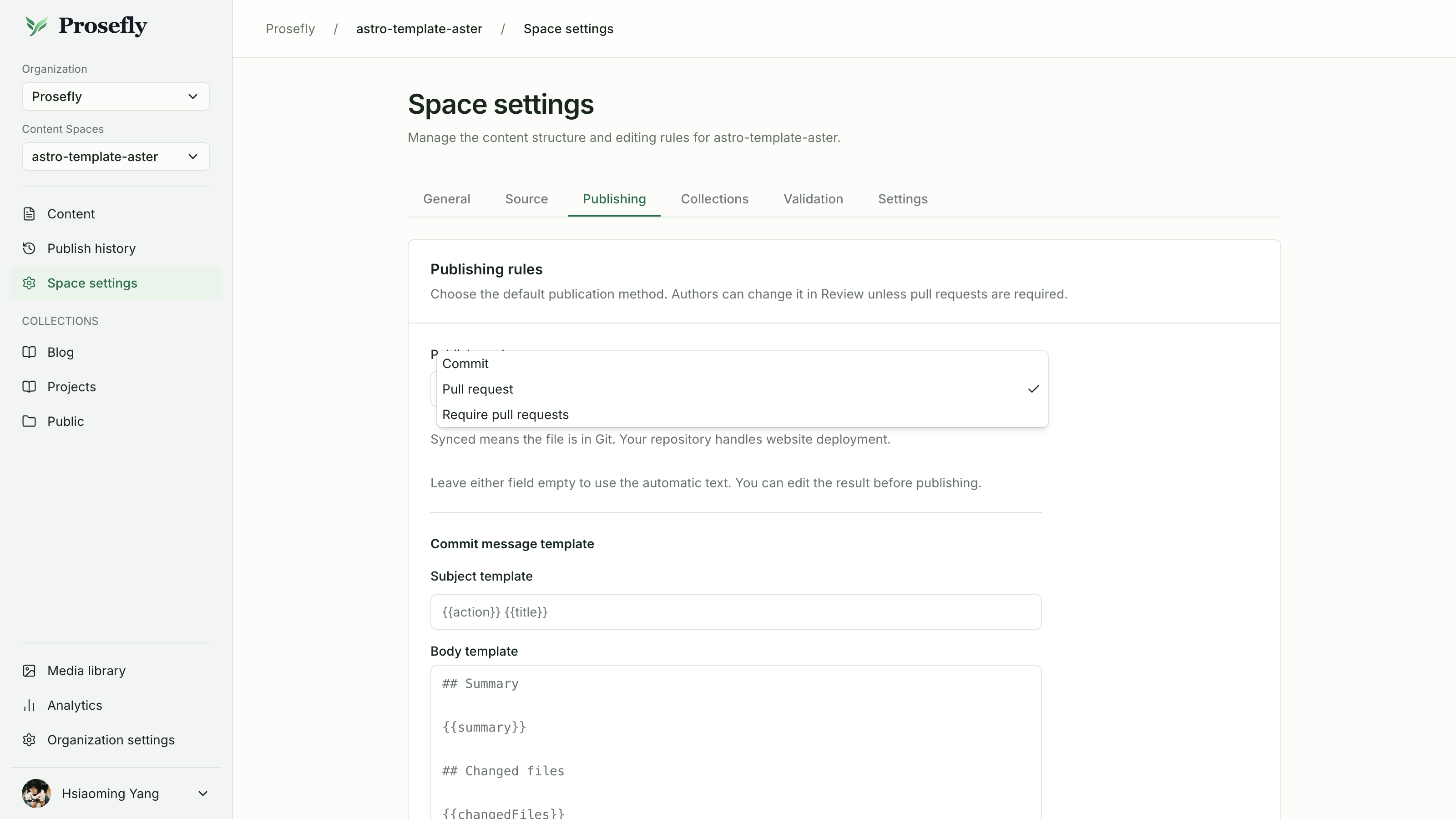
Choose Commit or Pull request in Space settings → Publishing. You can also set message templates here; leave them empty to use the automatic text.
Follow the result
Publish history links to the GitHub result and shows the submitter, target, and status. A PR initially awaits merge. Refresh history to check unresolved PRs; this is not continuous background polling.
Git publication does not deploy a website. Your site’s existing build and hosting workflow handles deployment after changes reach the expected branch.
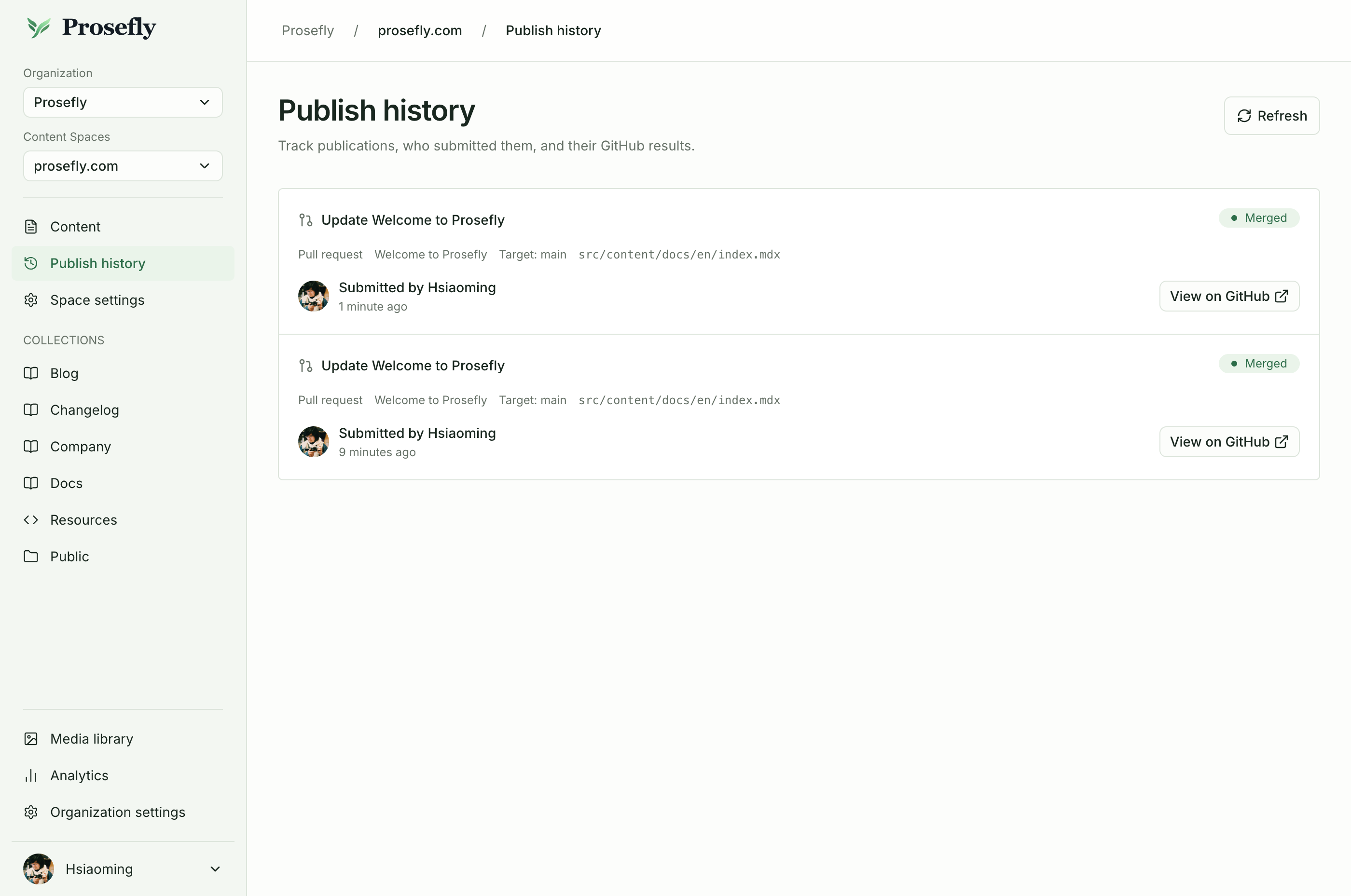
Publish history links each publication to its GitHub result and shows the latest status.
Handle an external change
If the Git base changed while you had a draft, compare the original base, current Git content, and your draft. Resolve the conflict before publishing again. Prosefly does not force away concurrent repository changes or automatically merge conflicting documents.
Scan after external repository changes to refresh the content index. Publishing and scanning are distinct operations.
Include Public files and translations
When a document references a new, unpublished Public image, review includes that image as a required file. Check the image and document together. You can also add other Public drafts from the same Content Space to the batch.
Only supported static image references are detected. Dynamic MDX expressions are not evaluated, and JSON/YAML Resource strings do not automatically include image drafts. Publish those images separately before content that uses them.
Related language drafts can be reviewed together. Translation does not publish automatically: inspect the files and confirm which versions belong in this publication.
Last updated Oct 19, 2026